WCTC Learn1.2
Publisher Description
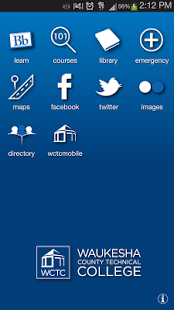
Stay connected with Waukesha County Technical College wherever you are. Find out how to get around campus, logon to your Blackboard course, search for Library resources, browse college course offerings, and more. It’s Waukesha County Technical College in the palm of your hand!
Features:
Blackboard – Get instant access to all of your Blackboard Learn™ content on the go. Check grades, post to discussion forums, view important class announcements, read and download assignments, upload content, and more.
Library - Browse the Waukesha County Technical library catalog, search databases, view electronic journals, check item availability, and even contact a librarian from your mobile device.
Courses - Plan your semester while on the go. Browse and search the course catalog, view class times, locations and more.
Social Media – Stay up-to-date with all that is happening at Waukesha County Technical College through the Facebook and Twitter feeds.
Images - Search, browse, download and share images from Waukesha County Technical College’s collections.
Maps - Find out where you are and where you need to go to get to campus.
Get Help - Access important phone numbers when you need them. Call to report an emergency, get general college information or seek assistance from the technology Service Desk.
Directory - Search the college directory to locate faculty, staff and administrators. Send an email, place a call and save contact information right to your phone’s address book.
About WCTC Learn
The company that develops WCTC Learn is Waukesha County Technical College. The latest version released by its developer is 1.2. This app was rated by 1 users of our site and has an average rating of 4.0.
To install WCTC Learn on your Android device, just click the green Continue To App button above to start the installation process. The app is listed on our website since 2015-04-10 and was downloaded 21 times. We have already checked if the download link is safe, however for your own protection we recommend that you scan the downloaded app with your antivirus. Your antivirus may detect the WCTC Learn as malware as malware if the download link to com.blackboard.android.central.wctc is broken.
How to install WCTC Learn on your Android device:
- Click on the Continue To App button on our website. This will redirect you to Google Play.
- Once the WCTC Learn is shown in the Google Play listing of your Android device, you can start its download and installation. Tap on the Install button located below the search bar and to the right of the app icon.
- A pop-up window with the permissions required by WCTC Learn will be shown. Click on Accept to continue the process.
- WCTC Learn will be downloaded onto your device, displaying a progress. Once the download completes, the installation will start and you'll get a notification after the installation is finished.
Program Details
System requirements
Download information
Pricing
Version History
version 1.2
posted on 2015-04-10
- Updated with mobile-friendly links,- UI updates and enhancements,- Updated Mobile Learn,- Minor bug fixes
version 1.0
posted on 2012-08-17
Several fixes and updates
